
Aviator is a crash game by Spribe that uses an increasing multiplier and a plane that can disappear at any time. A player chooses a stake, watches the multiplier rise, and tries to cash out before the round crashes.
Responsible-play tools help keep the activity within a planned time and money budget. This guide explains loss and win limits, session reminders, self-exclusion, support routes, and the Aviator features that can affect how a session is managed.
How Aviator Works
Aviator rounds last about 8-30 seconds, with 60-90 rounds possible in an hour. The crash point is fixed before take-off through a provably fair process.
The game has two bet panels per round, and each panel can use a separate cash-out. The multiplier rises from the start of the round until the plane disappears, so a cash-out request must reach the server before the crash.
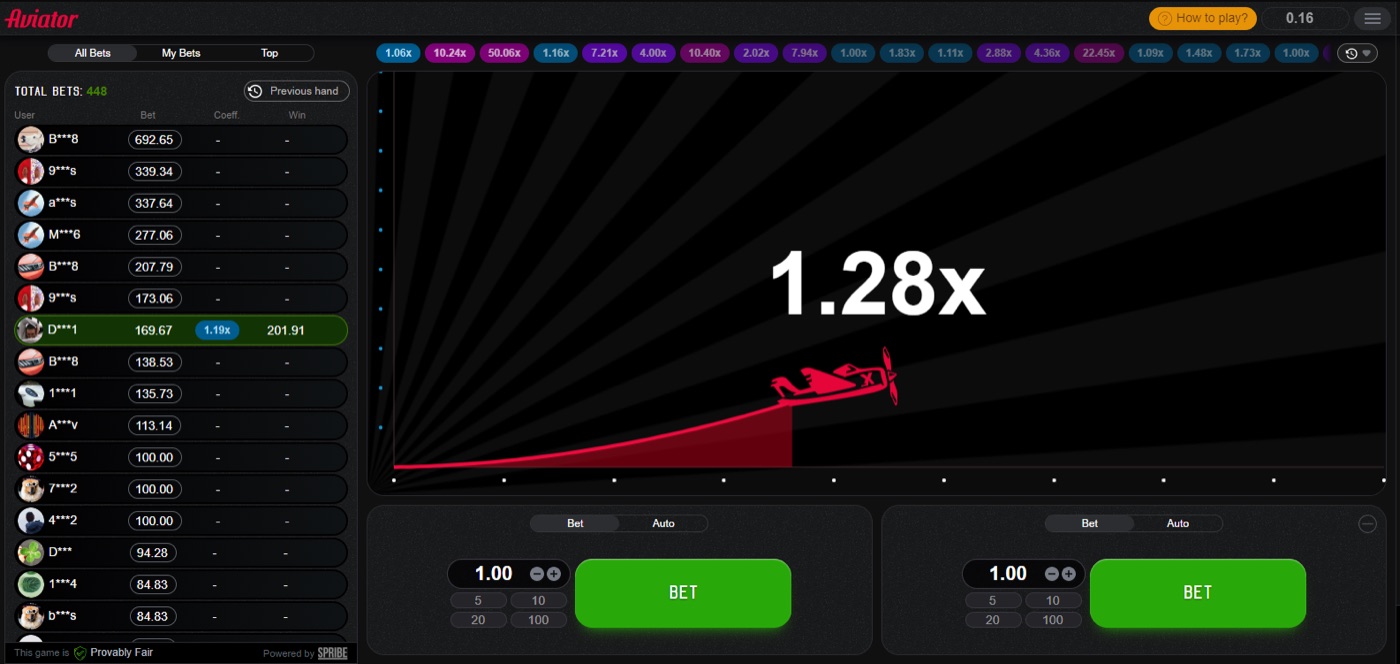
The Aviator plane remains in flight while the multiplier increases.
Aviator is not a slot and has no bonus round. Spribe describes it as a social multiplayer game consisting of an increasing curve that can crash at any time.
- The Bet tab lets a player enter a stake for the next round.
- The Auto tab can apply preset actions.
- Auto Cash-Out sends a cash-out at a selected multiplier.
- Auto Bet or Auto Play can run for 10-100 rounds.
- Stop-on-win and stop-on-loss can end an automated sequence.
The game also shows previous multipliers in the round history and displays live bets under All Bets, My Bets, and Top. These displays describe activity, but they do not change the next round. Rounds are independent, so a recent low or high multiplier is not a signal for the next result.
Loss and Win Limits
Aviator has an RTP of 97% and a house edge of 3%. The expected value is minus 3% of the stake at every cash-out target, so a strategy changes variance rather than removing the edge.
Typical stakes range from about $0.10 to $100 per bet, depending on the operator. Win caps per round are also set by each operator, while Spribe does not publish a maximum multiplier.
| Target multiplier | Probability of reaching it | Practical limit question |
|---|---|---|
| 1.2x | 80.8% | Does the planned stake remain affordable after repeated rounds? |
| 1.5x | 64.7% | Can the player stop after the planned win amount? |
| 2x | 48.5% | Will the player accept a result below the target? |
| 5x | 19.4% | Does the target encourage extra rounds after losses? |
| 10x | 9.7% | Is the possible wait worth the fixed budget? |
| 50x | 1.94% | Can the player stop without chasing a rare result? |
A loss limit sets the most a player is prepared to lose in a session. A win limit sets the point at which the player stops after reaching a planned profit. The operator may provide account-level controls, while Aviator also provides stop-on-loss and stop-on-win for Auto Bet or Auto Play.
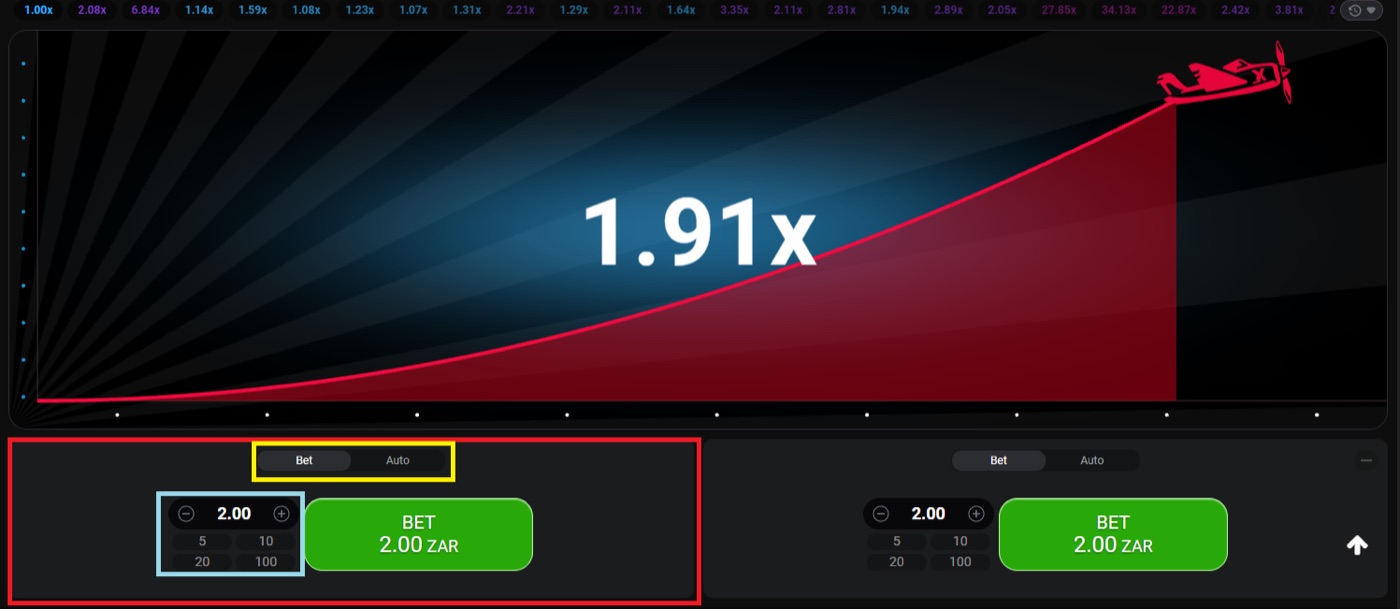
The desktop round shows two bet panels and a 1.91x multiplier.
- Choose the total amount that can be lost without affecting essential spending.
- Divide that amount across the planned session rather than adding funds after a loss.
- Set a separate stop point for any win.
- Enter stop-on-loss and stop-on-win values when using Auto Play.
- End the session when either limit is reached.
For example, a player may set a $20 loss limit and a $10 win limit before starting. If the balance falls by $20, the session ends; if it rises by $10, the player also stops. The figures in this example are planning figures, not Aviator defaults.
About 3% of rounds, or roughly 1 in 33, crash instantly at 1.00x. A limit matters because several quick rounds can occur in a short period, and the game is described as high variance.
Responsible gambling means stopping at a planned limit instead of trying to recover a loss.
Session Reminders
Aviator can run 60-90 rounds per hour, and each round lasts about 8-30 seconds. The interface includes Auto Play for 10-100 rounds, which can make a session continue without a fresh manual stake each round.
Session reminders create a pause before time or money exceeds the plan. The exact reminder function depends on the operator, so a player should check the account or responsible-play area before starting.
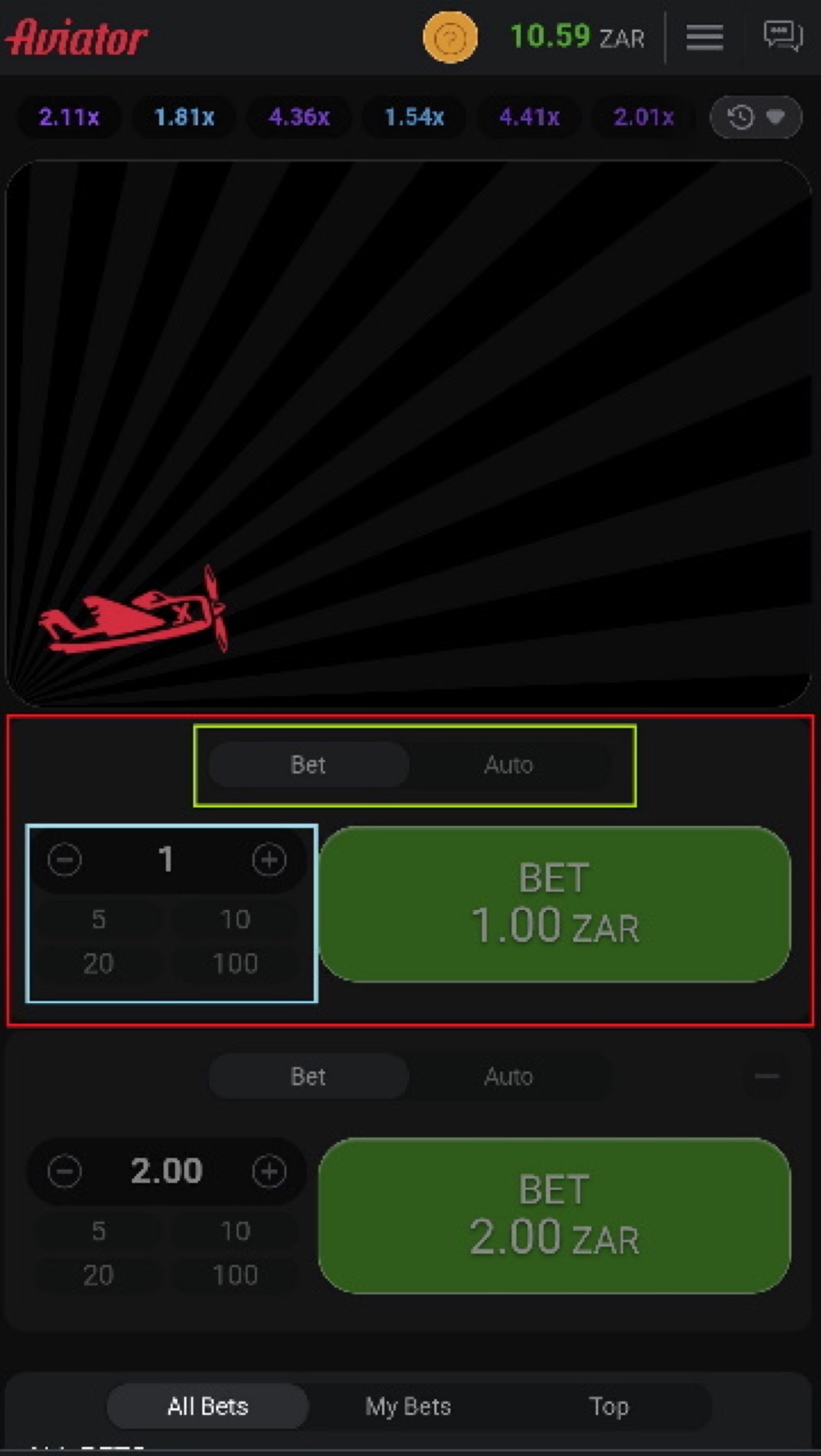
The mobile view places Aviator controls on a smaller screen.
- Set a start time and an intended end time before opening a round.
- Use a phone or account reminder if the operator provides one.
- Pause between Auto Play sequences instead of starting another sequence automatically.
- Check the remaining loss and win limits when the reminder appears.
- Close the game when the planned time ends, even if neither money limit has been reached.
A simple example uses a 20-minute reminder and a 10-round Auto Play sequence. When the reminder sounds, the player checks the result, stops the sequence, and decides whether the original plan allows any further play. The reminder does not improve the 97% RTP or alter the 3% house edge.
Players can also use the round history as a record of previous multipliers. It should not be used as a prediction tool, because patterns, graph analysis, and a strategy chart do not change the odds.
Cash-out timing deserves attention during a reminder check. Guides attribute cash-out time-outs to latency or a slow device, and the request must reach the server before the crash point.
Self-Exclusion Controls
Self-exclusion is an operator-level control that restricts a player’s access to gambling. Aviator runs inside an operator’s website or app, so the operator handles account controls rather than Spribe.
The availability and process for self-exclusion depend on the operator. A player should use the operator’s responsible-play or account-support route to ask what restriction options are available.
- Find the operator’s responsible-play, account, or help section.
- Ask support for the self-exclusion process before placing another stake.
- Check whether the request applies to the account used for Aviator.
- Do not rely on an Aviator game setting as a substitute for account restriction.
- Keep the support response or confirmation for personal records.
Self-exclusion is different from a session reminder. A reminder asks the player to pause at a chosen time, while self-exclusion addresses continued access to the operator account. A loss limit also differs because it controls a planned amount, not necessarily access to the game.
Aviator has no standalone official app from Spribe. The game runs inside a licensed operator’s website or app, so downloading an app called Aviator or Aviator Predictor does not create an Aviator account control.
Third-party predictor apps can use virtual coins, ads, or disclaimers that the coins have no real value. Prediction is impossible because the crash point is committed by a hash before the round, and public Telegram signal bots do not change that result.
If a player is looking for an old package while reviewing a crash game stake or cash-out setup, search results may include aviator apk download old version; this page should not be treated as an Aviator responsible-play control.
Support and Verification
Aviator publishes a SHA-256 hash of the server seed before each round. Client seeds from players are combined with the server seed, and the inputs become available for checking after the round.
The in-game Provably Fair badge opens the verification route inside the game. Neither the operator nor Spribe can change a result after the round starts.
- Open the Provably Fair tool after a completed round.
- Review the published hash and the revealed inputs.
- Use the tool to check the result rather than relying on a predictor.
- Contact the operator if the account balance or cash-out record does not match the account history.
Support links should lead to the operator’s own help or account-support area. They can be used for questions about deposits, withdrawals, account limits, self-exclusion, session controls, or a cash-out time-out.
The game’s chat can contain operator announcements about promotions, including free bets and other offers. A player who is trying to keep a fixed budget should treat those messages as information, not as a reason to increase a stake.
Support can also clarify operator-specific values. Minimum stakes, maximum wins, payout caps, payment methods, and account controls vary between operators, so the game interface alone cannot establish those terms.
Using Tools in Practice
Aviator offers two bet panels per round, and each panel can have a separate cash-out. The Auto Cash-Out feature can use a preset multiplier, but it cannot prevent a round from crashing below that target.
The 1.5x target has a stated probability of 64.7%, while the 2x target has a probability of 48.5%. Neither target removes the 3% house edge or guarantees a positive session.
- Check the operator’s account controls and support route before opening the game.
- Set a loss limit and a win limit that fit the planned budget.
- Choose whether manual play or Auto Play is easier to stop at the planned time.
- Use Auto Cash-Out only if its preset target matches the plan.
- Set a session reminder and stop when it appears.
- Use the verification tool for questions about a completed round.
- Ask the operator about self-exclusion if continuing to play is no longer wanted.
Consider a player with a $30 session budget who chooses three groups of ten dollars rather than adding funds after each loss. The player may set a $30 loss limit, a $15 win limit, and a reminder for the intended session length. These are personal controls, not published Aviator defaults.
Doubling stakes after losses is called Martingale in strategy guides. Ten consecutive doubles reach 1,024 times the base stake, so this approach can exceed a budget quickly and does not overcome the 3% edge.
Fibonacci and D’Alembert systems also do not beat the edge. Playing during a quieter period may help a connection, but it does not improve the odds of a round.
Aviator FAQ
Does Aviator have loss limits?
Auto Bet and Auto Play include stop-on-loss, and operators may offer account-level limits. The exact account controls depend on the operator.
Can I set a win limit?
Aviator includes stop-on-win for Auto Bet or Auto Play. Any wider account win-limit feature depends on the operator.
Does Aviator include session reminders?
The game facts list Auto Play and stop controls, but they do not establish a universal reminder function. Check the operator’s account or responsible-play area for reminder availability.
How does self-exclusion work for Aviator?
Aviator runs inside an operator’s website or app. Ask that operator’s support team about self-exclusion and whether the restriction applies to the account used for Aviator.
Where can I check a disputed round?
Use the Provably Fair verification tool inside the game after the round. For balance, account, or cash-out issues, use the operator’s support route.
Can an app predict the crash point?
No. The crash point is fixed before take-off through the server-seed and client-seed process, and a predictor cannot change or know a future result from a pattern.